
Wesleyan-themed Zoom backgrounds

  • Click on the photo you want to use from the options below. Then, right click and select "save image as" to download.
  • Open the Zoom desktop app. (It doesn’t work if you’re using only your browser. Sorry!) 
  • Click the icon for your account in the upper right.  
  • Click on Settings.   
  • Click on Virtual Background. 
  • Click the plus sign (+) to the right of Choose Virtual Background.
  • Click add image. 
  • Select the image from your computer, and click Open. (It might ask you to “Enable smart virtual background.” Click OK if it does.) 
  • Make sure “Mirror my video” is checked.

Arboretum creek image

Campus image with signes in foreground

Candler building with tulip tree blooms in foreground.

Pierce Chapel with cherry blossom blooms in foreground

Pierce Chapel

Wesleyan quad with Wesleyan first for women banner in foreground.

Dakota in front of Wesleyan Sign

Calendar of Events

Wesleyan College is privileged to steward many arts and cultural events and share them with the community. Most are free and open to the public. Wesleyan art galleries are open M-F 1-5PM and on Wesleyan Market Saturdays from 10AM-2PM.

Event listing

Wesleyan Athletics

Wesleyan competes in intercollegiate athletics with teams in soccer, softball, basketball, hockey, beach volleyball, indoor volleyball and flag football.

View More
Visit our Campus

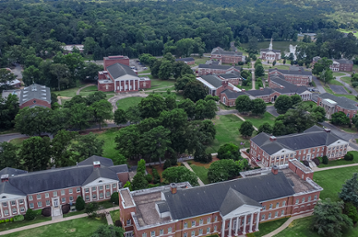
Tour our beautiful 200-acre campus featuring Georgian architecture, lush green spaces, recreational facilities, residence halls, and worship center.

Vist Wesleyan Virtually

Join our email list